 Workout FeelNav
GPS navigation
with vibrations.
Workout FeelNav guides you turn by turn with vibrations on your Apple Watch.

$3.99 · One-time purchase · No subscription


Whether you’re skiing, mountain biking, cycling, trail running, or hiking, looking at a screen isn’t always practical. With gloves on, in the cold, or simply when you want to stay aware of your surroundings, FeelNav guides you with vibrations on your Apple Watch.
Four signals to discover
Left, right, warning and confirmation: learn the signals on your watch before you set off.
The turns you choose
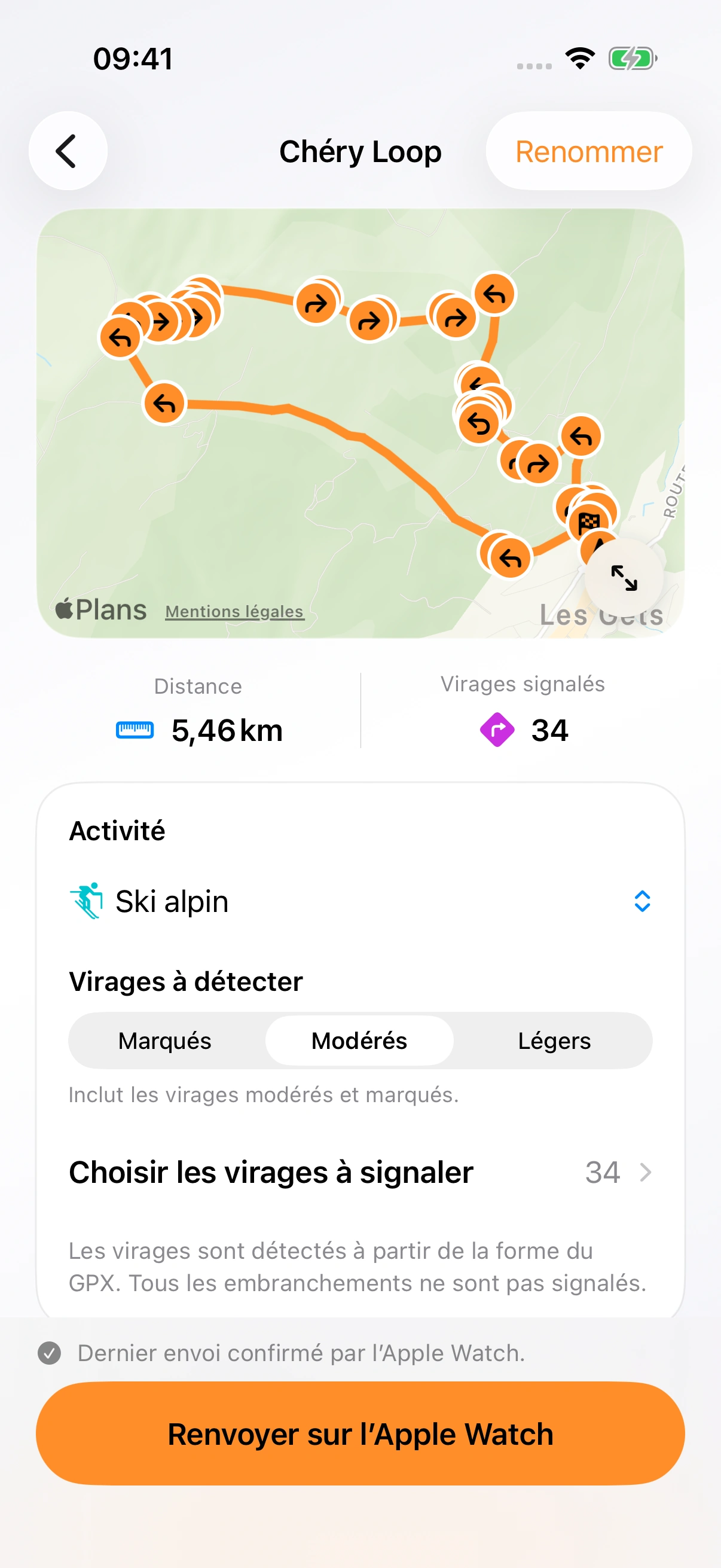
Check the detected direction changes and disable those you do not need.
Your route, offline
Once saved on Apple Watch, the route can be followed without an Internet connection.
For outdoor adventures
Skiing, mountain biking, cycling, trail running or hiking: adapt your preparation to your activity.
App preview
The data shown is for illustrative purposes.
HOW TO USE
How to use the app
Prepare on iPhone
Import the GPX, choose your activity and set the level of turn detail.
Check and transfer
Check the turns on the map, then send the route to your watch.
Feel the route
Start tracking on Apple Watch and stay aware of your surroundings.
Before you download
- iPhone and Apple WatchiOS 18 or later
watchOS 11 or later - French, English, German, Spanish and Italian
- One-time purchase · No subscription
FeelNav helps you follow a route and does not replace signs or your own awareness. Directional guidance pauses if you leave the route or GPS accuracy is insufficient. It does not provide information on trail openings, weather or avalanche risk. On Apple Watch, end an active workout in another app before starting FeelNav.
On the US App Store
View on the App StoreUS App Store prices. The price is confirmed before purchase.
Privacy policy